Appearance
Timecode Preferences
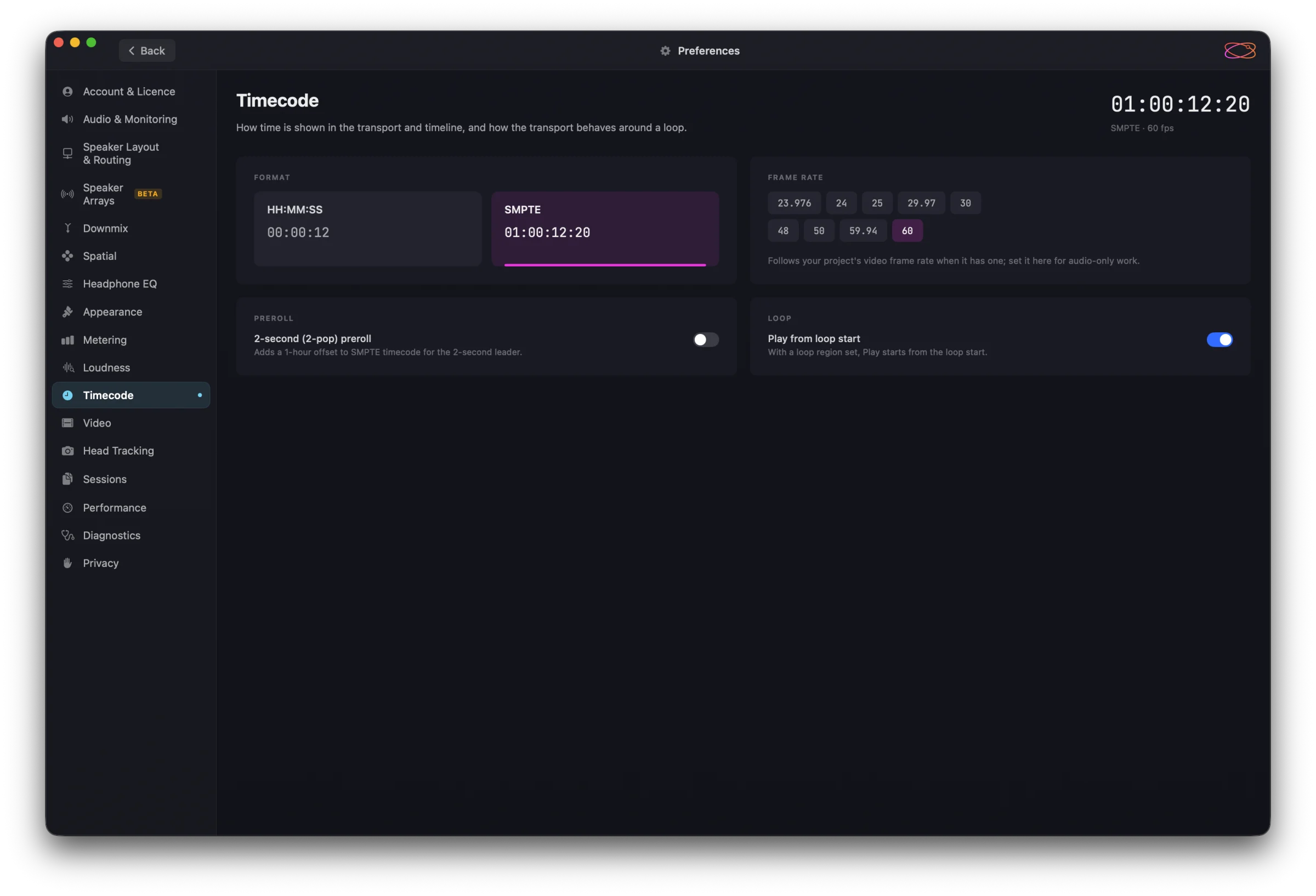
Preferences ▸ Timecode sets how time is shown in the transport and timeline, and how the transport behaves around a loop. The current time, as it will read, sits at the top right of the pane.
New in Orbit 1.5.10
The format, frame rate and 2-pop preroll are also on the timecode card in the top bar: right-click the card to change them without opening Preferences. Both places change the same settings. See Top Bar & Transport.
Format
HH:MM:SS — hours, minutes and seconds (00:00:12). The default. Good for music, where you just want to know how far into the file you are.
SMPTE — SMPTE timecode at the frame rate below (01:00:06:17). Use it whenever you're working to picture, comparing notes with a video editor, or your delivery spec calls for it.
The format applies to the transport readout, the timeline ruler and the timecode in the loudness panel.
Frame Rate
23.976, 24, 25, 29.97, 30, 48, 50, 59.94 or 60. The default is 24. It follows your project's video frame rate when it has one (see Video); set it here for audio-only work. The rate only matters in SMPTE — HH:MM:SS doesn't count frames.
TIP
If timecode "looks right" but drifts visibly against picture, the frame rate is almost always the culprit.
New in Orbit 1.5.10 — frame-exact at 23.976, 29.97 and 59.94
SMPTE timecode is frame-exact at the fractional rates. The counter starts on the hour at every rate: 01:00:00:00, or 00:59:58:00 with the 2-pop preroll. Earlier versions read about 00:59:56 at fractional rates. At 29.97 and 59.94, drop-frame timecode really drops frame numbers at each minute, except every tenth minute, so it keeps step with the clock. When the session has video, the counter counts at the video's own rate and doesn't use drop-frame.
Burnt-in timecode windows show exactly what the counter shows.
Preroll
2-second (2-pop) preroll — adds a 1-hour offset to SMPTE timecode for the 2-second leader. With it on, SMPTE starts at 00:59:58:00 (the 2-pop leader) and programme content begins at 01:00:00:00 — the usual convention for handing off to a video editor. With it off, SMPTE starts at 01:00:00:00 with no leader offset.
It only changes how positions are labelled — the audio and the playhead are the same either way — and only in SMPTE. On by default.
Loop
Play from loop start — with a loop region set, Play starts from the loop start rather than from the playhead. On by default, so every Play drops you back to the start of the region you're checking; turn it off to have Play resume from the playhead and enter the loop when it gets there.
Looping is in Orbit Standard and Pro from 1.5.10.
The play pre-roll (PRE), which starts Play a few seconds early, isn't set here. Turn it on and set its length on the timecode card in the top bar; see Pre-roll.
See also
- Sessions — sessions keep loop regions and markers.
- Timeline View — the ruler, markers and loop region.
- Top Bar & Transport — the timecode card, pre-roll and Insertion Follows Playback.