
Appearance
Sessions Preferences
Pro
Sessions is an Orbit Pro feature. Without Pro the pane shows "Sessions require Orbit Pro" and its controls are disabled.
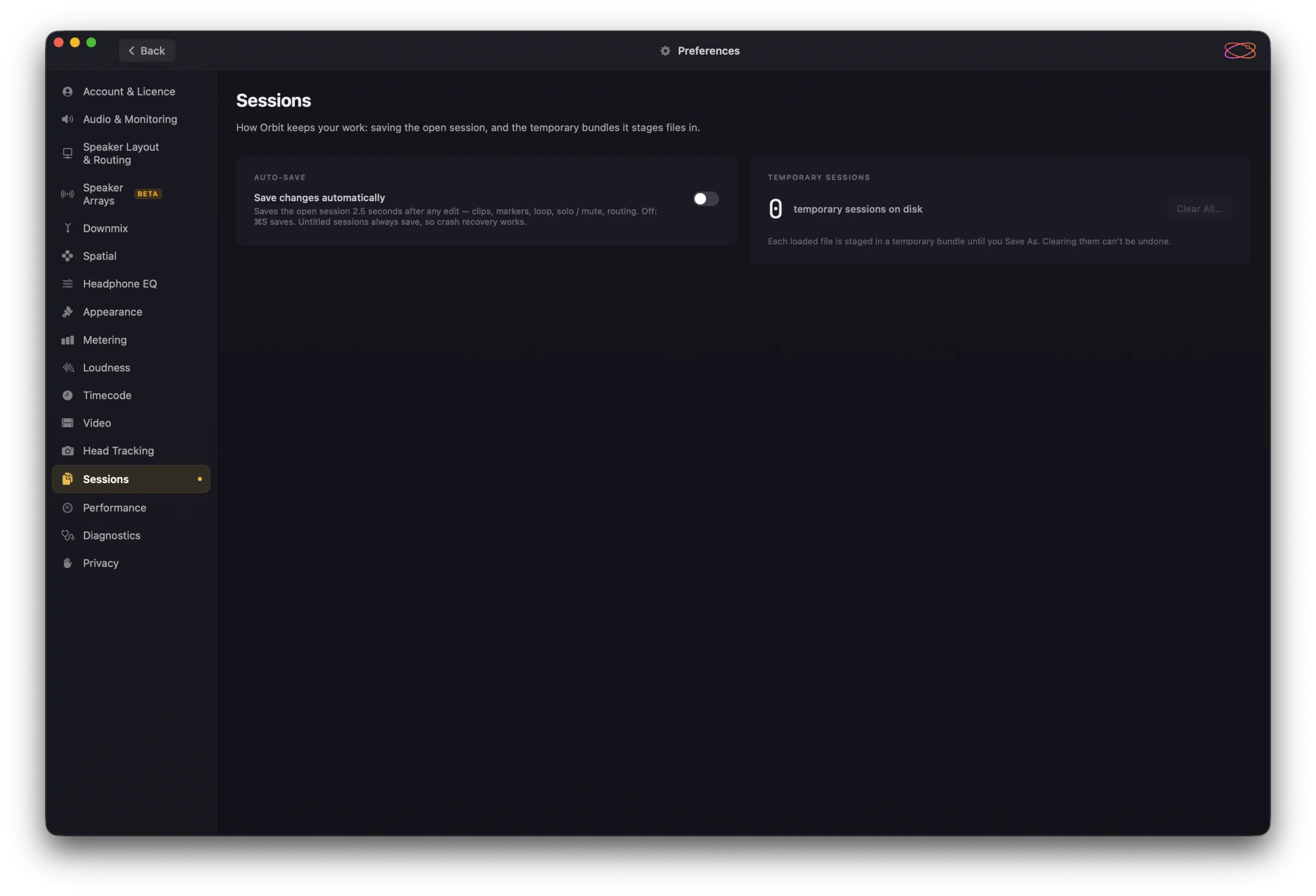
Preferences ▸ Sessions is how Orbit keeps your work: saving the open session, and the temporary bundles it stages files in. For the feature itself — what's in a session, how to create one, what's kept — see Sessions.
Auto-Save
Save changes automatically — when on, Orbit saves the open session 2.5 seconds after any edit. Default is off: save manually with ⌘S, or turn this on to opt in.
The auto-save covers everything that lives in the session: video edit list, markers, loop regions, channel routing, solo and mute state, monitoring settings, and the playlist. It does not cover audio source files (those are referenced, not copied into the bundle), nor your preferences, which belong to Orbit rather than to the session.
Untitled sessions — the ones Orbit creates implicitly when you load a file in preview mode and start tweaking — auto-save regardless of this toggle. That's deliberate: their entire reason to exist is crash recovery, so disabling auto-save for them would defeat the point. The toggle only governs explicitly-named sessions.
TIP
Auto-save ships off so Orbit doesn't write to disk behind your back. If you'd rather not rely on ⌘S, turn it on — the 2.5-second debounce means it doesn't interrupt your work, and it protects against losing edits if Orbit (or macOS) drops out unexpectedly.
Temporary Sessions
Untitled sessions live in Orbit's temporary directory. They accumulate over time — every preview-mode load that lasts more than a few seconds leaves one behind, and Orbit doesn't delete them automatically because that's the wrong call when you might want to recover one after a crash.
Clear All… — deletes every untitled temporary bundle from disk. A confirmation alert is shown first, since this is irreversible; if the current session is untitled and unsaved, it is closed too. Disabled when there are no temporary bundles to clear.
A counter beside it shows how many there are (3 temporary sessions on disk), refreshed when the panel opens and after a clear. Useful for spotting when the count has crept high enough to be worth a clean-up — typically when you've been working on a lot of one-off files.