
Appearance
Metering Preferences
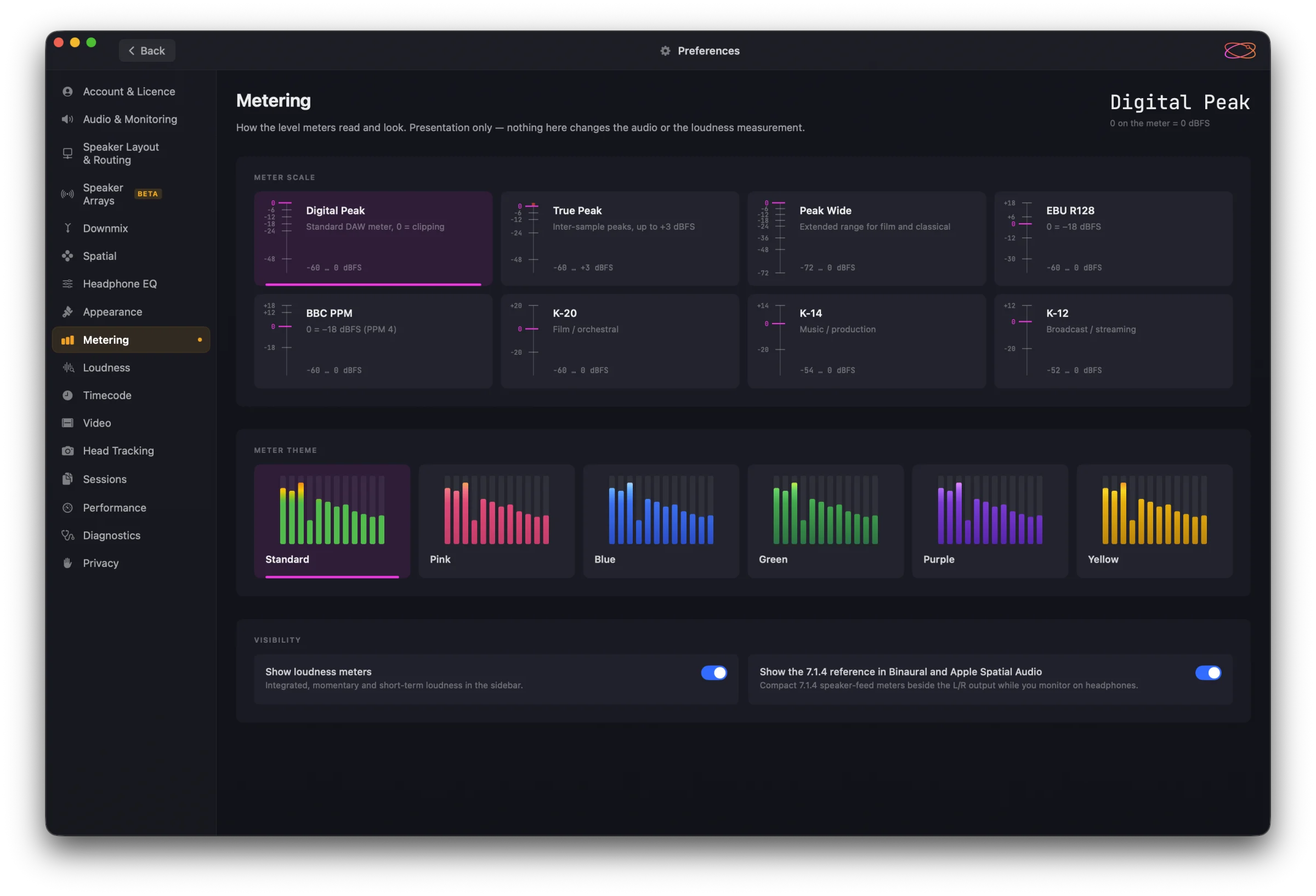
Preferences ▸ Metering sets how the level meters read and look. It's presentation only — nothing here changes the audio or the loudness measurement, which follows ITU-R BS.1770-5 whatever you choose. The scale in use is named at the top right of the pane, with where 0 sits on it.
Meter scale
Eight options for the level-meter scale. The right one depends on the kind of work you're doing — broadcast, music mastering, K-system mixing — and what reference levels your delivery spec asks for.
Digital Peak — 0 dBFS at the top, sample-accurate peak detection. The default and what most DAWs show. Best for catching clipping in a digital chain.
True Peak — extends the top of the meter to +3 dBFS so inter-sample headroom above 0 dBFS is visible. It rescales the meter only: the bars are the same peak feed as Digital Peak, not oversampled. The oversampled true-peak figure is the TP readout in the loudness meters.
Peak Wide — same as Digital Peak but with a wider headroom view (more visible range below 0 dBFS). Useful when you need to see low-level content in detail.
EBU R128 — a level scale with 0 at −18 dBFS, the EBU R68 alignment level. Labels are relative to that point; it's still a level meter, not a LUFS readout.
BBC PPM — Peak Programme Meter alignment, with 0 at −18 dBFS (the PPM 4 digital line-up) and labels relative to that point. Familiar to anyone who's worked in UK / European broadcast.
K-20 — Bob Katz's K-system, K-20 variant. 0 K = −20 dBFS reference. Designed for film and wide-dynamic-range mixing.
K-14 — K-system, K-14 variant. 0 K = −14 dBFS reference. Designed for pop and rock mastering.
K-12 — K-system, K-12 variant. 0 K = −12 dBFS reference. Designed for broadcast and online streaming with tighter headroom.
TIP
The meter scale changes how the level meters are drawn, not how loudness is measured. For a LUFS target, read the Integrated / Short-term / Momentary loudness meters; for a dBTP ceiling, read their TP value — the level meters on any scale, True Peak included, aren't oversampled.
Meter theme
Six palettes for how the level meters are coloured: Standard (the default green-yellow-red scale), plus solid Pink, Blue, Green, Purple, and Yellow options that match the Object and Waveform Theme accents on the Appearance page. Each card previews a bank of meters in that palette before you pick it.
Visibility
Show loudness meters — integrated, momentary and short-term loudness in the sidebar. On by default. Turn it off when you're doing pure level work and want the space back.
Show the 7.1.4 reference in Binaural and Apple Spatial Audio — compact 7.1.4 speaker-feed meters beside the L/R output while you monitor on headphones. On by default. Useful when you want to see what the spatial mix is doing channel by channel even though you're listening on headphones.
See also
- Monitoring — selecting between speaker, binaural, stereo, and Apple Spatial monitoring.
- Loudness — delivery targets and how loudness is measured (Preferences ▸ Loudness).