
Appearance
Preferences
Open Preferences with Aro ▸ Settings… (⌘,), the gear at the left of the footer or the gear on Home. Opening Preferences never interrupts an export or a batch. A control that can't work is shown switched off, with the reason.
Account & Licence
- Account — the email you're signed in with, and Sign out. Signing out gives this Mac's licence back.
- Licence — your plan and how many Macs are in use, for example "Aro · 2 of 3 Macs in use", or the days left in a trial.
- Licence key — Enter a key… for a licence from before accounts.
- This Mac — Deactivate frees this Mac's seat.
- Manage your account on the web opens your Orbit Spatial account.
See Licensing.
Speakers
Choose Your speakers, the layout of your room. Patch its speakers to your interface's outputs, and test the wiring with pink noise. See Speakers & Routing.
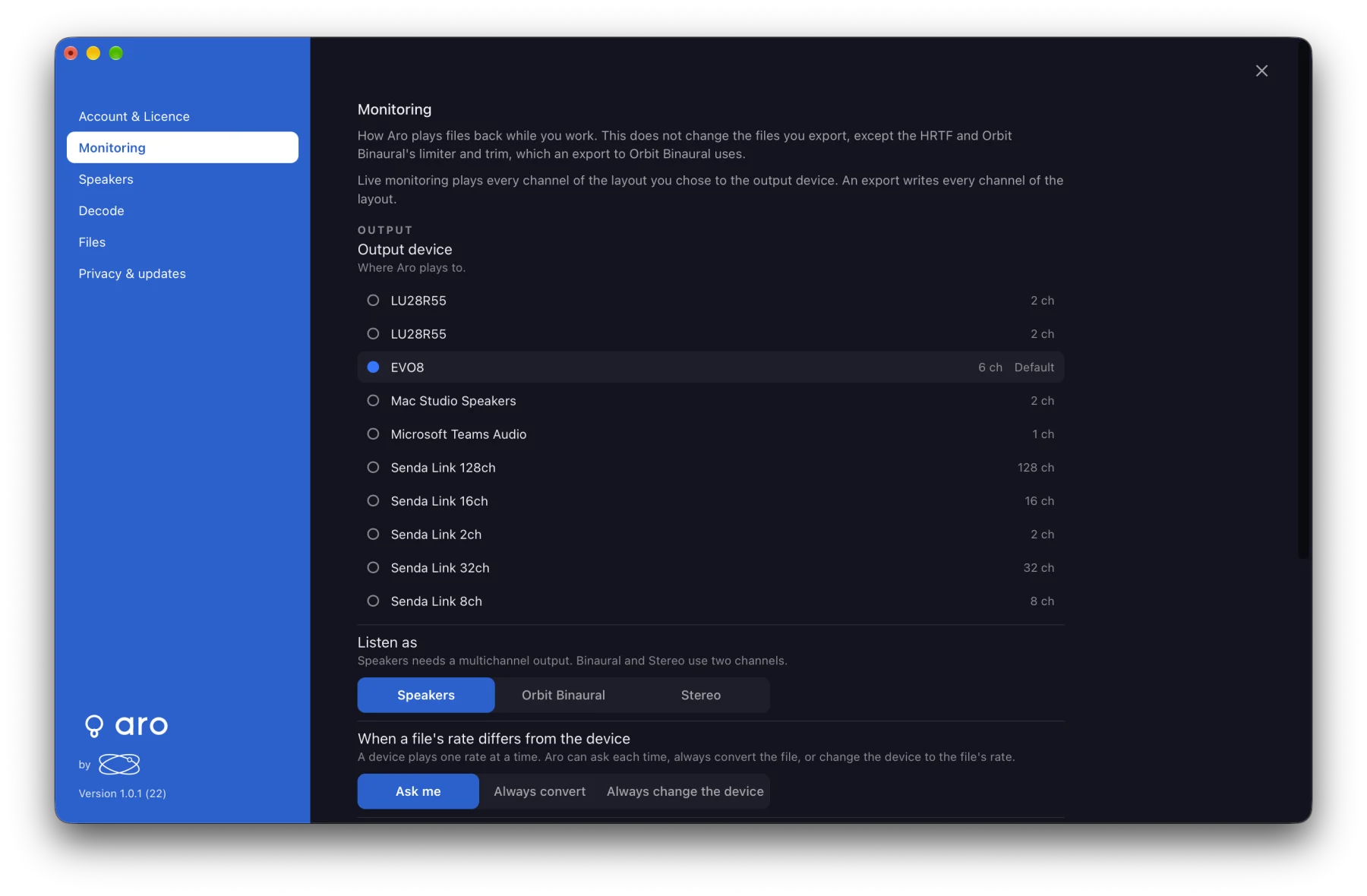
Monitoring
- Output — your output device. Aro remembers it, even across restarts.
- Listen as — Stereo, Orbit Binaural or Speakers. See Monitoring.
- HRTF profile — for Orbit Binaural, and Import from Orbit.
- When a file's rate differs from the device — Ask me, Always convert or Always change the device.
Decode
What Aro starts with. You can still change each setting for a file or a batch, and changing a default never changes the file that's open.
- Decode method — default AllRAD · dual-band.
- Export to — the outputs every recording and every batch starts with, ticked in a list: Orbit Binaural and every layout, your custom ones included. Default 7.1.4 alone. A recording's own list can differ, and changing it there leaves this one alone.
- Bit depth — default 24-bit.
- Sample rate — default Same as source.
- LFE — the starting crossover and level. The LFE feed itself is always off for a new file.
- Format when a file doesn't say — AmbiX (default), N3D or FuMa. A file that says it's FuMa opens as FuMa whatever you choose here.
Files
- Save to — Next to originals (default), or a folder you choose. Exports and batches both start here, and the Export to page has the same setting. If the folder has gone, for example an unmounted drive, the pane says so and an export is refused until you choose another.
- File name —
{file}_{layout}(default) or{file} · {layout}. Example shows the result.{layout}is the output's name. - If a file already exists — Aro never replaces a file when it exports. A taken name gets
-2,-3and so on. Converting a recording uses the Save dialog, which asks.
Privacy & updates
- Share usage data — off unless you turn it on. See Data & Privacy.
- Privacy policy — opens policy.orbitspatial.io.
- Check for updates — the last answer and Check now. See Updates.
- Version — for example "1.0.1 beta (build 22)".