
Appearance
Exported Files
When it sounds right, press Export (⌘E). Aro writes one file for each output you ticked on the Export to page, with no Save dialog. This page is about the files themselves.
Output settings
Set these under Output in the Configuration sidebar before you export. Set the starting values in Preferences ▸ Decode. Every output in one press uses the same bit depth and sample rate.
Bit depth
16-bit, 24-bit (the default) or 32-bit float. 16-bit files get TPDF dither automatically.
Sample rate
Same as source (Aro shows the file's rate), 44.1, 48, 88.2 or 96 kHz. Aro converts after the decode.
Loudness
Click Loudness under Output. Both are measured to ITU-R BS.1770-5 and are off until you turn them on:
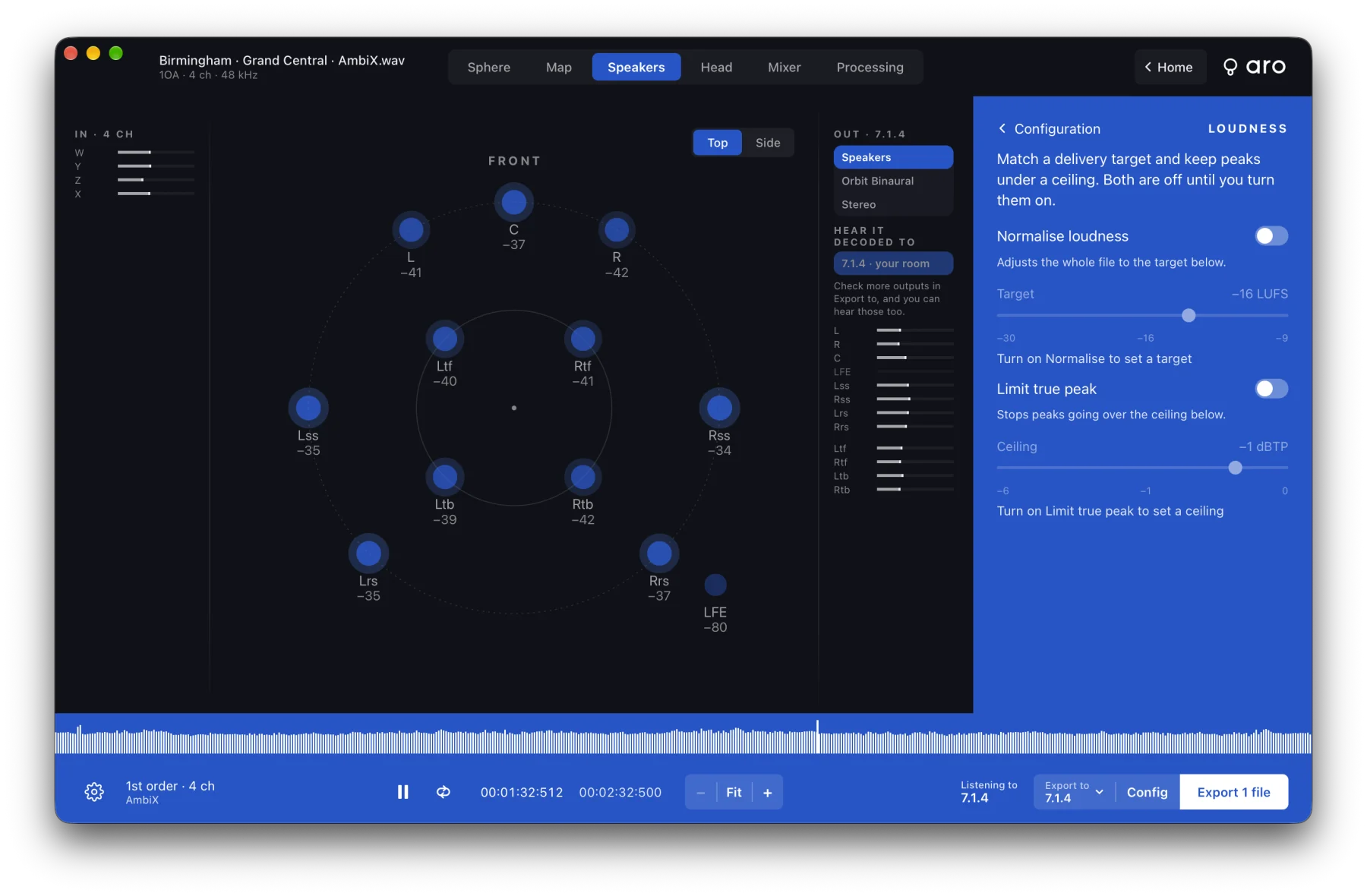
- Normalise — to a target loudness, −30 to −9 LUFS (default −16 LUFS).
- Limit true peak — to a ceiling, −6 to 0 dBTP (default −1 dBTP).
Avoiding clipping
A speaker-layout file can clip at 16 or 24 bit if the decode is hot. Turn on Limit true peak to hold the ceiling. Orbit Binaural files always have their own limiter (see Monitoring).
The exported file
- A WAV with every channel of the chosen layout, in the layout's own channel order. For 7.1.4: L, R, C, LFE, Lss, Rss, Lrs, Rrs, Ltf, Rtf, Ltb, Rtb.
- Orbit Binaural gives a 2-channel binaural WAV.
- The layout's mixer levels and mutes are written in. Solos never are.
- Files over 4 GB are written as RF64.
- Processing is in every file. If you've trimmed the recording, the file is the range, with its fades.
- An Ambisonic output is an AmbiX file of the recording. An Eclipsa Audio output is an
.iamfor an MP4. See Exporting.
File names
Aro names each file <file>_<output>.wav, for example Forest_Walk_3OA_7.1.4.wav or Forest_Walk_3OA_Orbit-Binaural.wav. Where a name is taken, the file gets -2, -3 and so on, and Aro never replaces a file. To use <file> · <layout>.wav instead, or to set where files are saved, see Preferences ▸ Files in Preferences.
Progress, cancelling and done
A progress bar shows the export, which runs much faster than real time. With several outputs there's a row for each file. Cancel stops it and leaves nothing behind: Aro writes to a hidden temporary file and only renames it when the file is finished, so an existing file of the same name is never touched.
Quitting during an export asks first, "Stop the export and quit?" If you quit, the export is cancelled the same way.
When it's done, the screen stays up with Show in Finder and Continue. See Exporting.