
Appearance
Home & the Window
Home
Home is where Aro opens. The Aro sphere turns slowly behind it, and sounds swell, hold and fade over it, a few of them sweeping across.
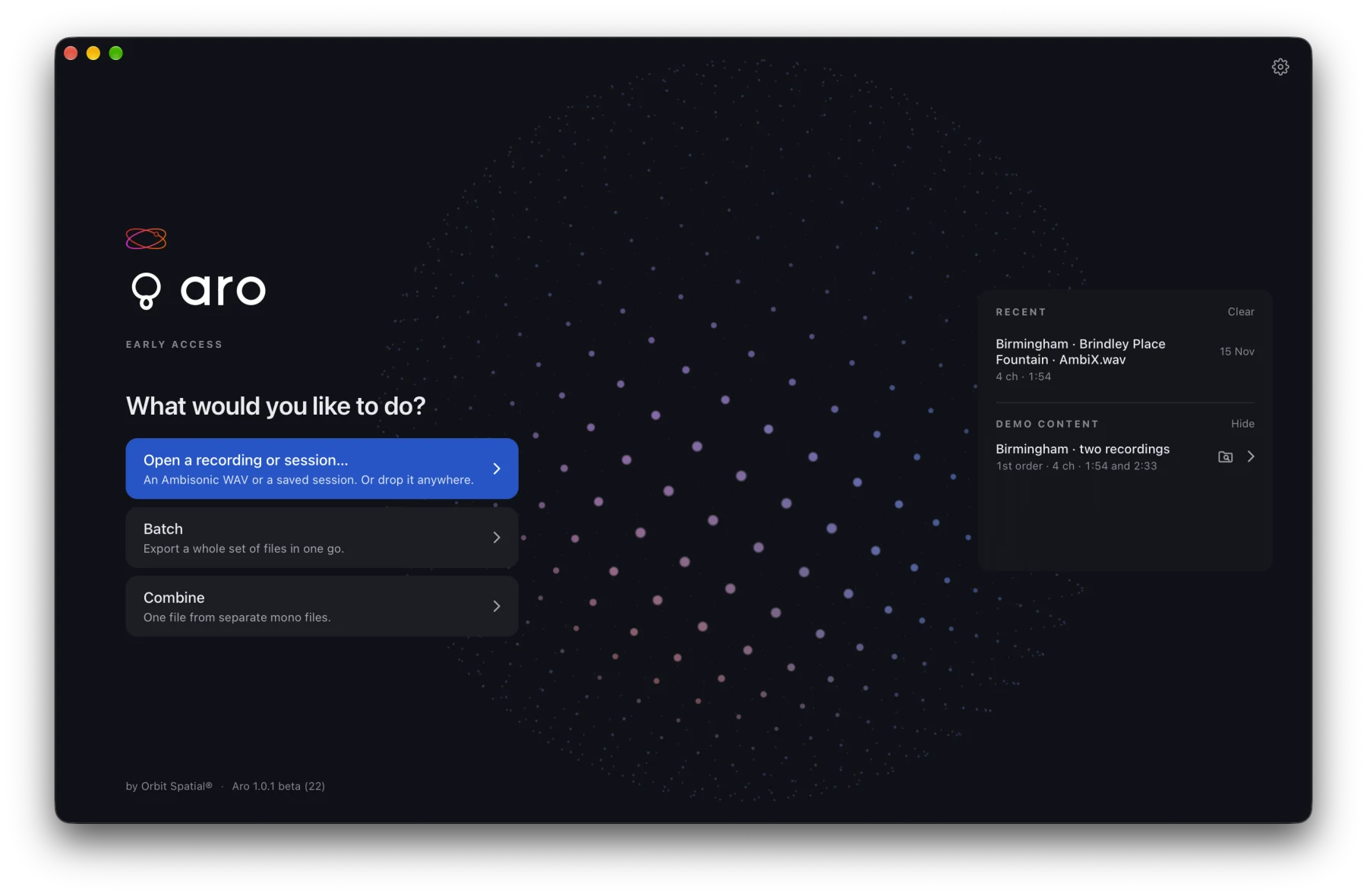
Three rows:
- Open a recording or session… takes an Ambisonic WAV or a saved session. You can also drop either one anywhere on the window.
- Batch exports a whole set of files in one go. Drop WAVs on it to start. See Batch.
- Combine makes one recording from separate mono files. See Combining Files.
Preferences is the gear at the top right.
Recent
On the right is Recent: your recordings and sessions. Click one to open it. Each row has Show in Finder, the folder with a magnifying glass. A session shows a small .aro card. Clear empties the list.
Demo Content
At the foot of Recent is Demo Content: two first-order recordings from Birmingham, Brindley Place Fountain and Grand Central, to try Aro with. Hide folds it away and Show brings it back. Aro remembers which.
Click the Demo Content row and the panel slides across to a list of the two recordings, each with its order, channels and length. Click one to open it. ‹ Recent, or Escape, slides back. The magnifying glass shows both files in Finder.
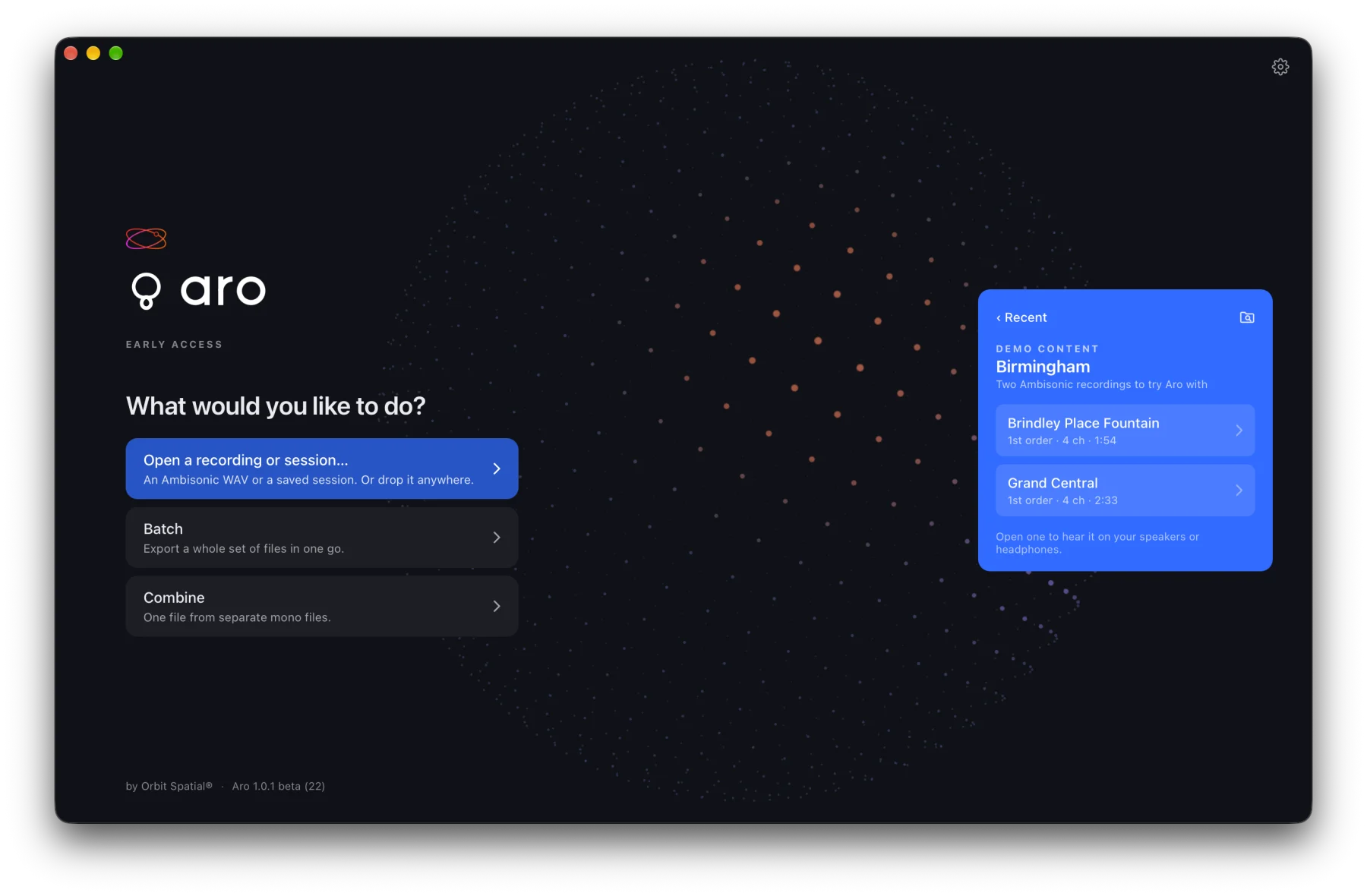
Help ▸ Sample Recordings opens either recording from the menu too.
The first time
The first time you open Aro, and whenever Recent is empty, the right-hand side is a welcome instead. It offers the demo recordings (Open one ›), a link to Feedback and a link to these docs.
The version line
At the bottom left, Home says which Aro you have and what the update check found, for example by Orbit Spatial® · Aro 1.0.1 beta (22) · The newest beta. While a check runs it reads Checking…. When there's a newer beta, the line shows it with Download, then the download's progress and Show in Finder. See Updates.
The top bar and footer
Once a file is open, the top bar carries the file name on the left, wrapped onto two lines rather than cut. Beside it are the tabs: Sphere, Map, Speakers, Head, Mixer and Processing. On the right are Home and the Aro mark. When you came from a batch, ‹ Batch sits where Home would.
The footer runs along the bottom. It holds the gear for Preferences, the file's format, the transport, the times, the zoom control and the waveform, and on the right:
- Listening to, the layout you hear, or Orbit Binaural on headphones
- the mixer, when it isn't at 0 dB, for example Mixer: 1 muted, 2 trimmed. Click it to open the Mixer.
- Export to, which opens the Export to page
- Config, which opens the Configuration sidebar
- Export (⌘E), which writes the files and counts them, for example Export 3 files. It reads Convert for a Mid-Side, Double Mid-Side or A-format recording.
Play turns into Pause and back, and Loop's arrows travel round when you press it. The gear turns when you hover over it. If your Mac has Reduce motion on, they stay still.
The smallest the window goes is 1144 x 708, and nothing in Aro scrolls the window. Make it bigger and the stage grows.
Space plays and pauses after you click a tab, a button or a fader. It doesn't while you're typing in a box.
About Aro, What's New and Feedback
Aro ▸ About Aro opens Aro's own About window: the version and build, a still of the sphere, and three links. Website opens orbitspatial.io/aro, Help opens these docs and What's new opens What's New. Escape, the close button or a click outside it closes it.
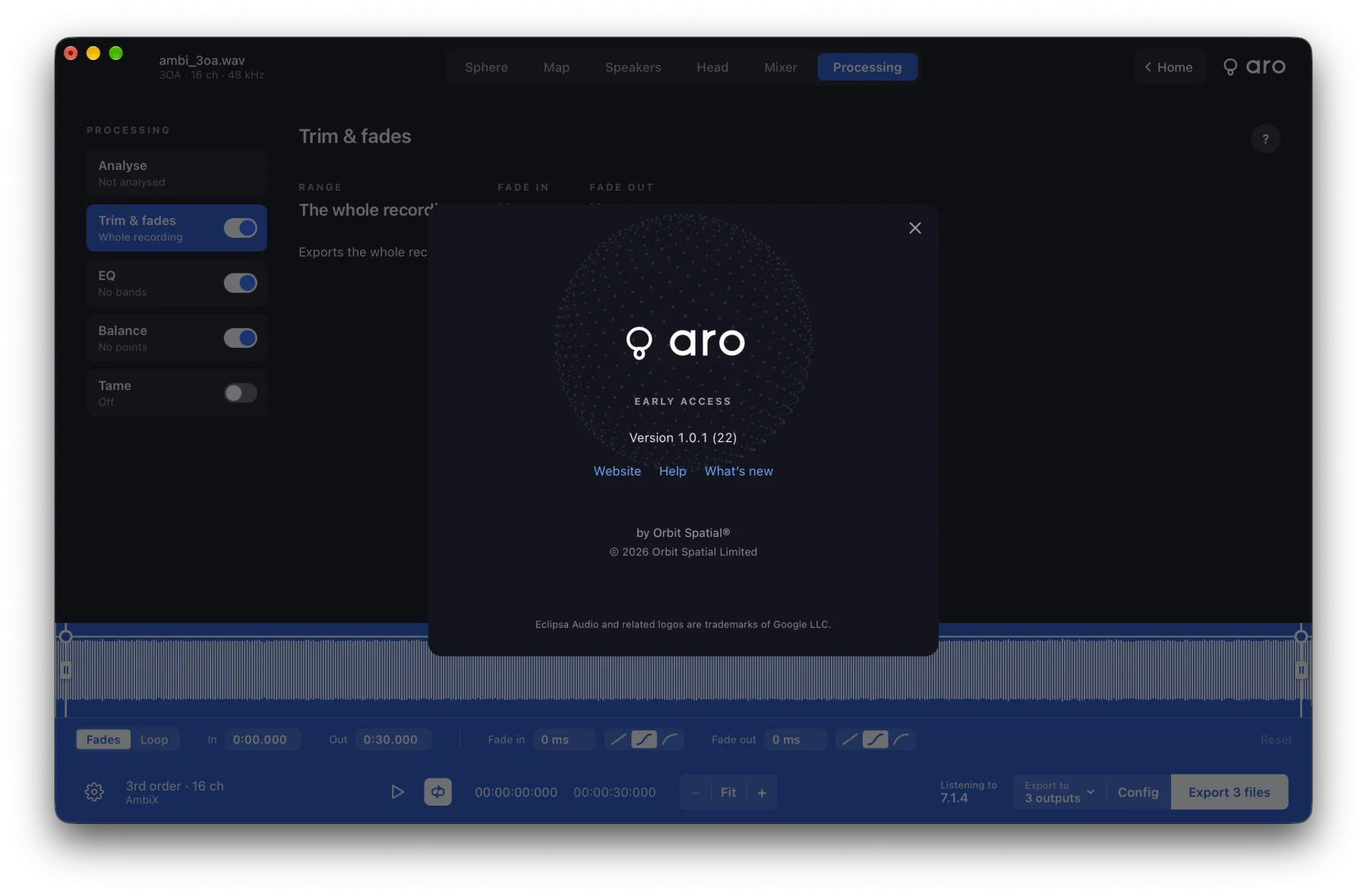
Help ▸ What's New in Aro opens the same page. Aro ▸ Feedback… opens a new email to feedback@orbitspatial.io in your mail app. It has one line at the bottom saying which Aro and which Mac you're on, so you don't have to look it up. Bugs, crashes and ideas all help.